
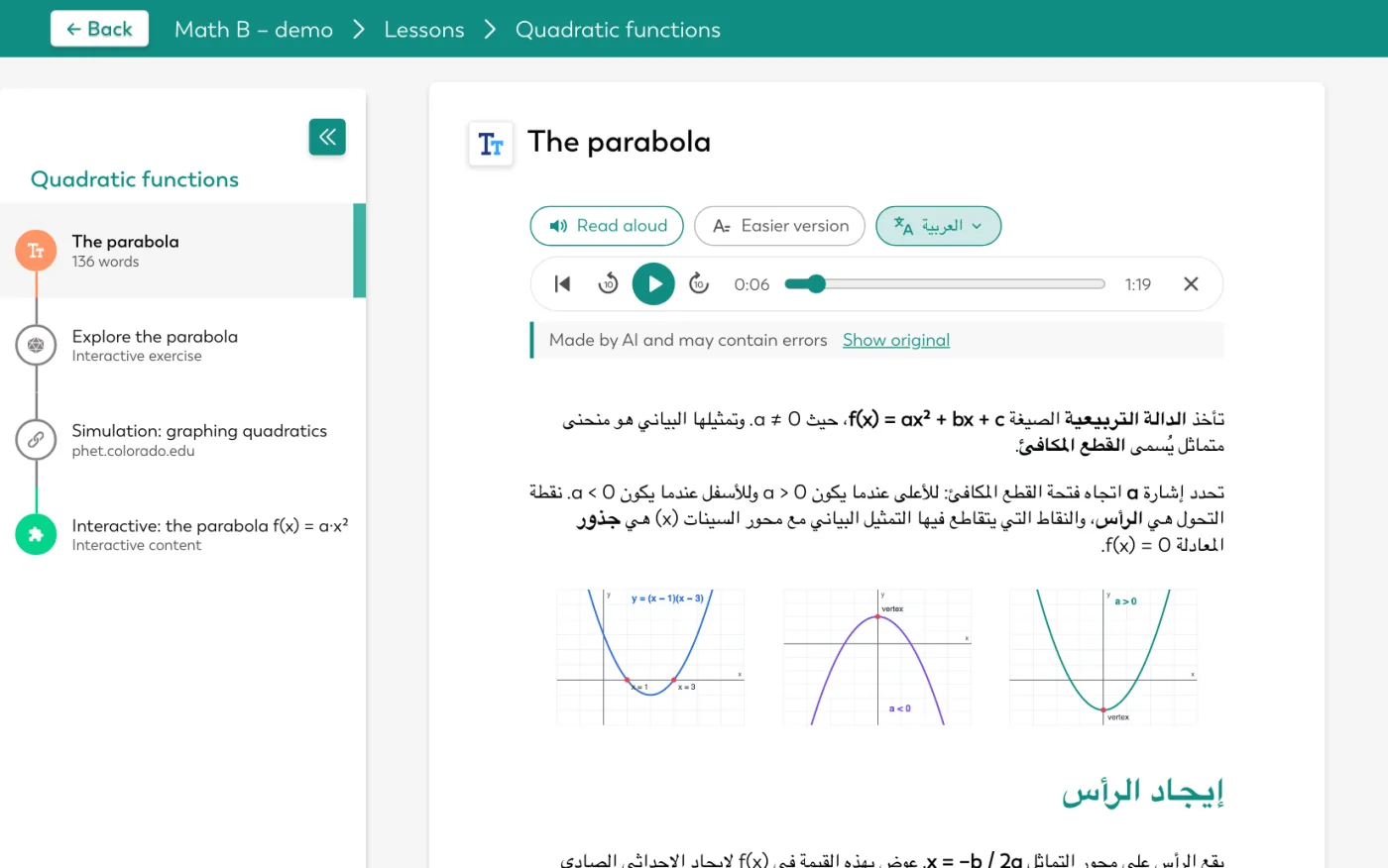
Reading support for every text in the lesson
"Read aloud", "Easier version" and "Translate" sit right above the text. A student who reads slowly, or reads Arabic better than English, can follow the same text as the rest of the class.
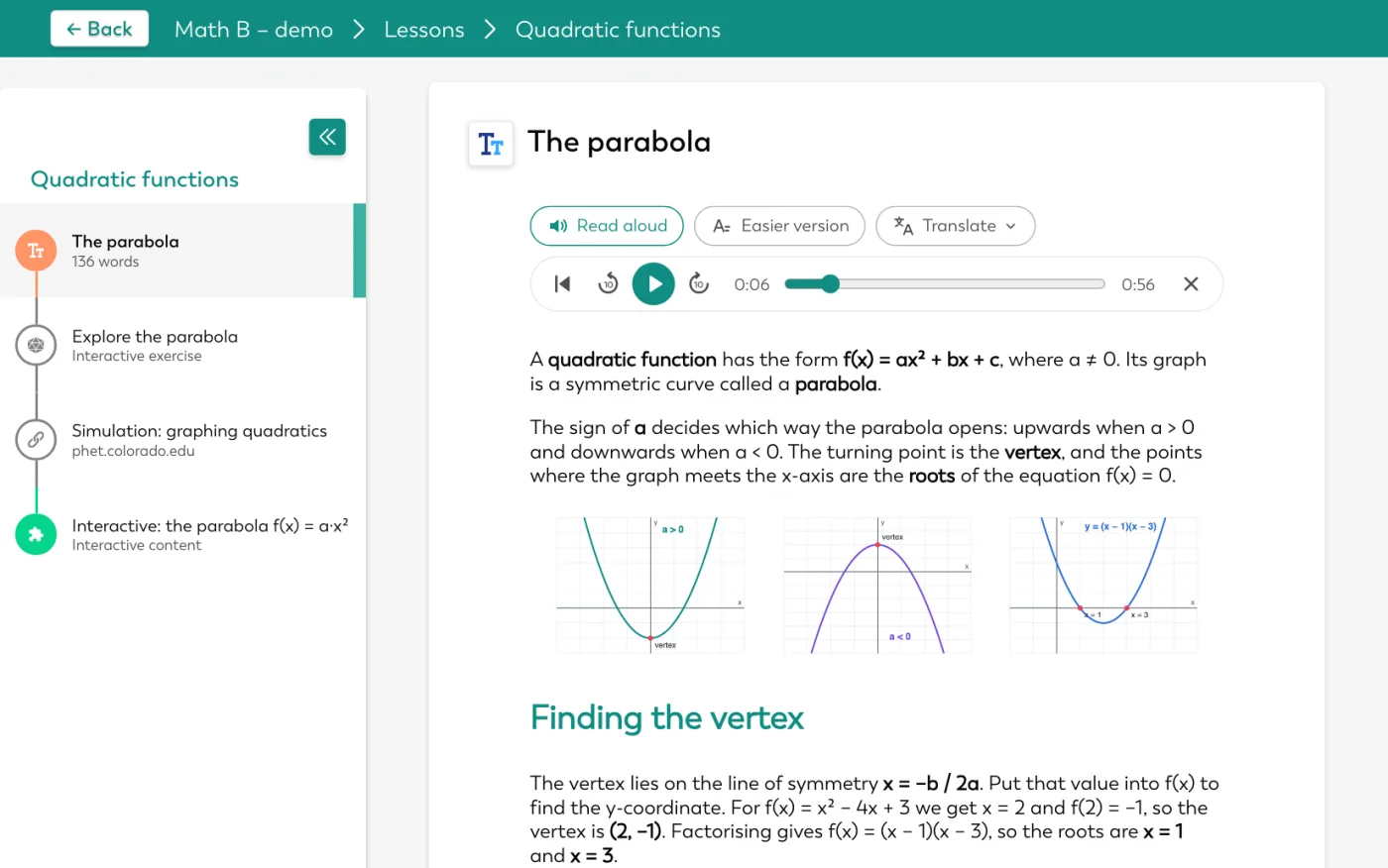
Read aloud with a proper player
Press "Read aloud", and a voice from Google's Gemini reads the text. The student can pause, start over, jump 10 seconds back or forward, or drag the bar to the place they want to hear again.
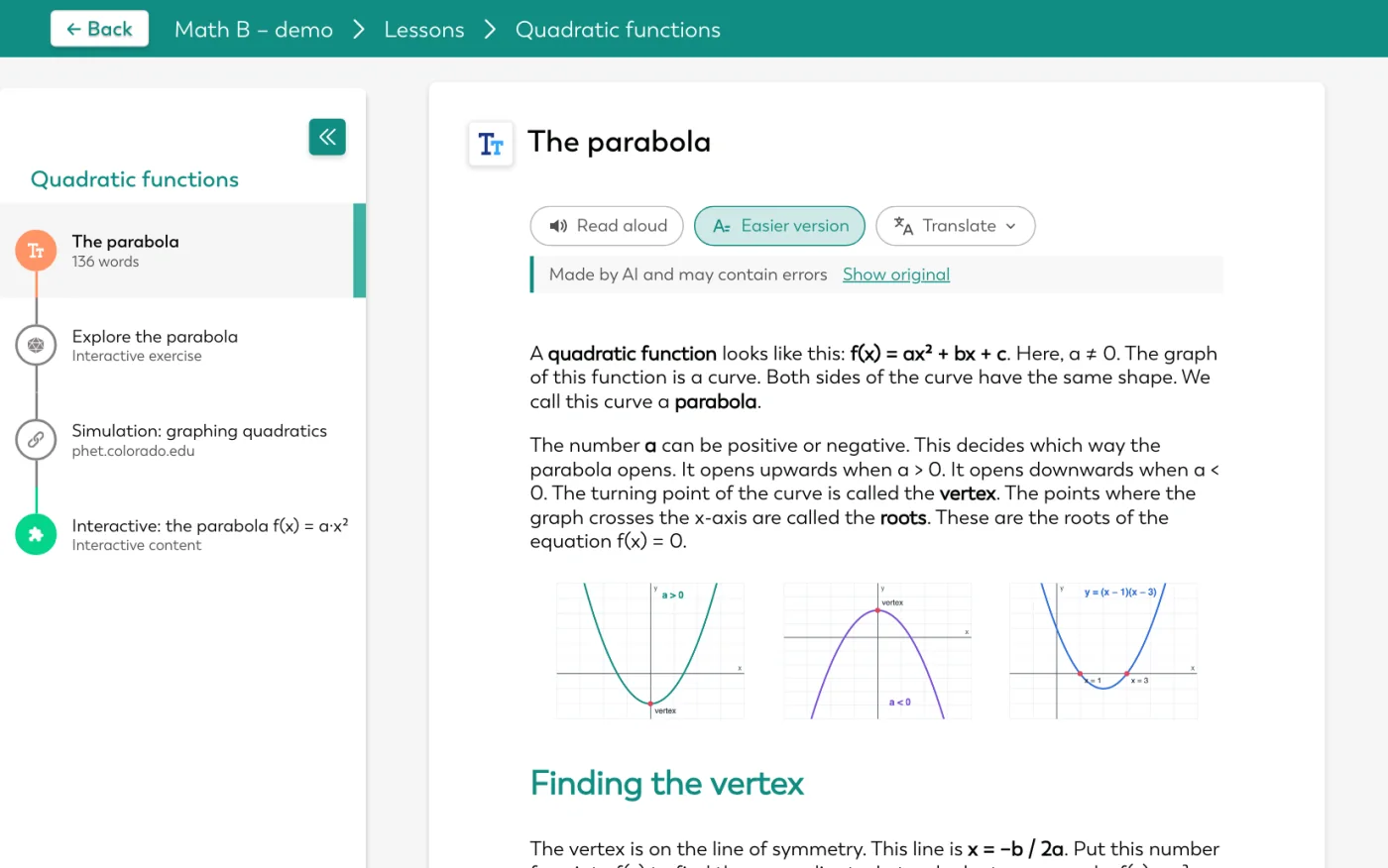
An easier version of the same text
The easier version uses everyday words and shorter sentences, and keeps every fact, number, image and formula. It says clearly that AI made it and that it may contain errors, and "Show original" brings your own text back.
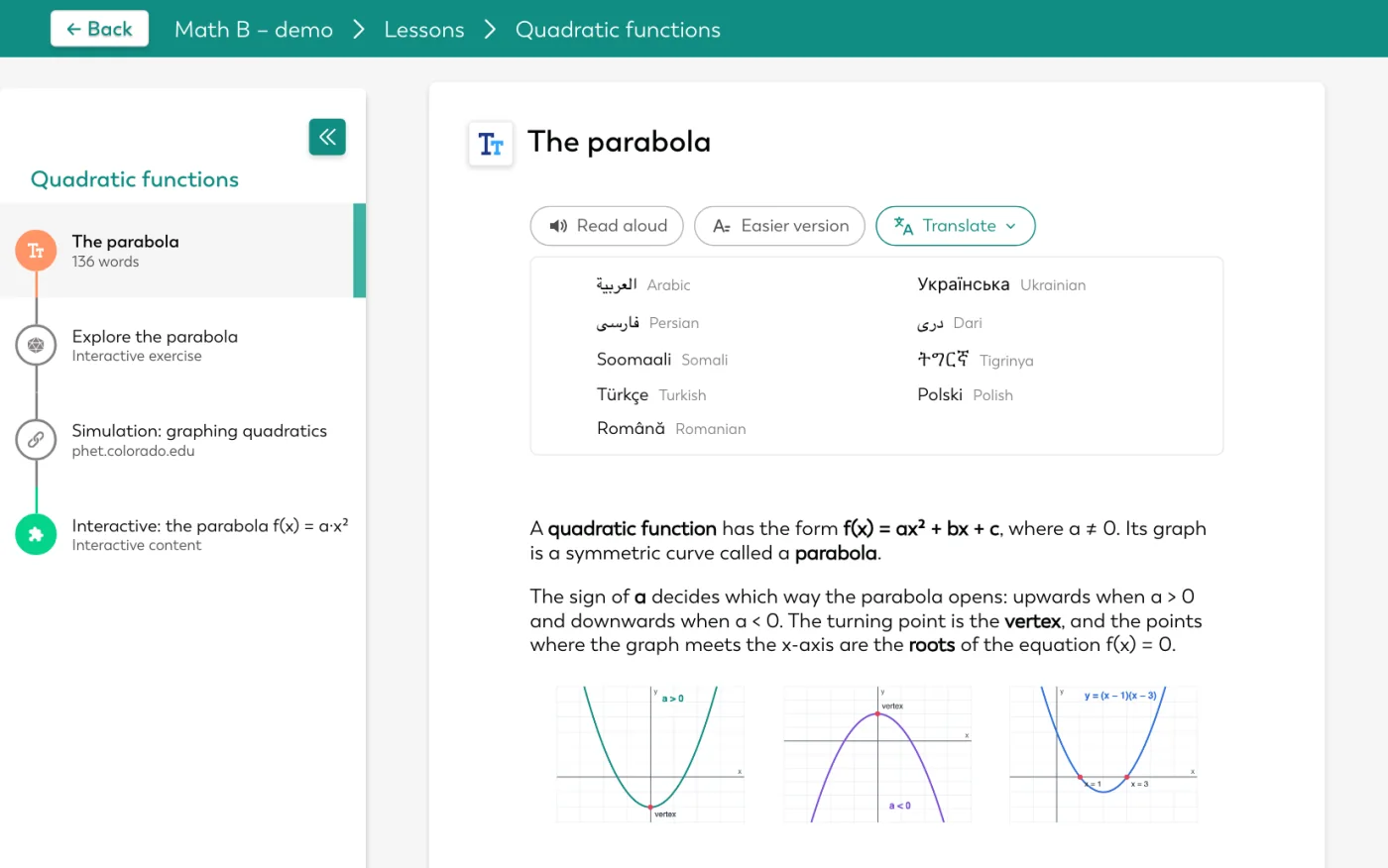
Translation into 25 languages
Arabic, Ukrainian, Persian, Dari, Pashto, Somali, Tigrinya, Turkish and more. Images and formulas stay where they are, languages written from right to left are shown that way, and the translation can be read aloud in every language but Kurmanji.
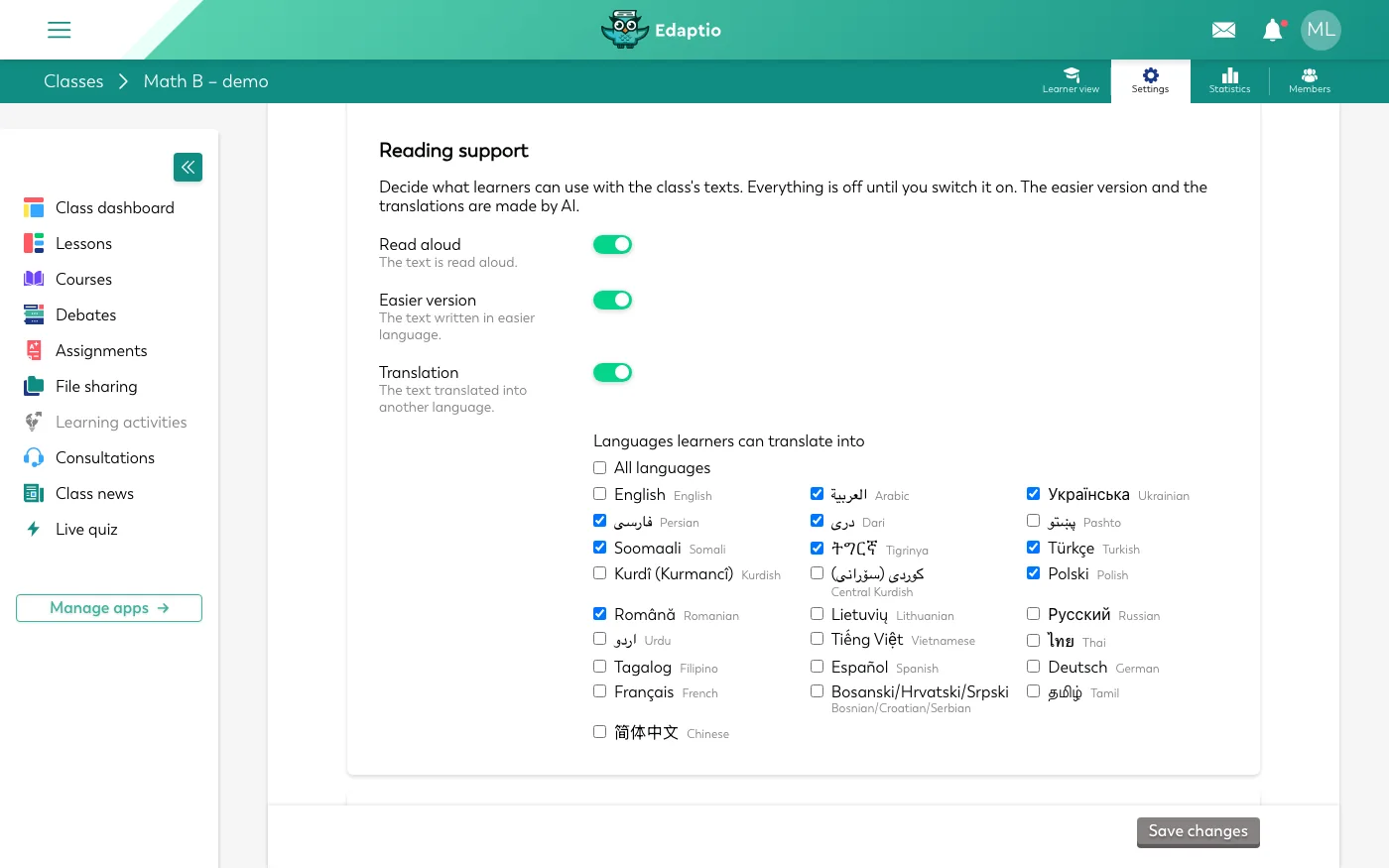
You decide for each class
Read aloud, the easier version and translation are off until a teacher turns them on in the class settings. Turn on only what the class needs, and choose the languages students can translate into. When you copy the class, the settings come along.
Made for school

Exam mode
During an exam, students can still have the text read aloud. The easier version and translation are switched off.

Made once per text
Each version is made the first time someone asks for it and then saved, so the next student gets it straight away. If you change the text, a new one is made.

Teachers see the same
Teachers get the same buttons as their students, so you can check what the class gets before you use it.

Spelling questions too
Quiz questions where students spell a word they hear use the same voice, in 38 languages.
Help for the students who need it
Nobody has to ask for help in front of the class: once you turn it on, the buttons are there for everyone.

Students who read slowly
They can listen while they read, and take the easier version when the text is hard going.

Students learning the language
They can read the text in a language they know better, and switch back to the original at any time.
Students who learn by listening
They can hear the text as many times as they want, at home or in class.
More features that save you time

Interactive Video
A video that stops for quiz questions, polls and flashcards, and shows you how far each student got.
Learn more: Interactive Video
Live Quiz
A quiz on the board that the class answers on their phones, with points, a top list and a podium.
Learn more: Live Quiz
AI Assistant
Olly helps teachers build content and gives students hints, not answers.
Learn more: AI Assistant
Feedback on Hand-ins
Comment, draw and write formulas directly on the hand-in.
Learn more: Feedback on Hand-ins
Math Questions
Random values for each student and answers checked mathematically.
Learn more: Math Questions
School Integrations
Moodle, Microsoft sign-in and class lists from your administrative system. We also build integrations with your other systems, free of charge.
Learn more: School Integrations
Plagiarism Check
Every hand-in compared with earlier hand-ins, Wikipedia and Olly, with the matching passages side by side.
Learn more: Plagiarism Check

Learning Activities
Add flashcards, video, pinboards and more to a lesson
Learn more: Learning ActivitiesGet started with Edaptio
Create a free teacher account in minutes, or talk to us about setting up Edaptio for your whole school.