
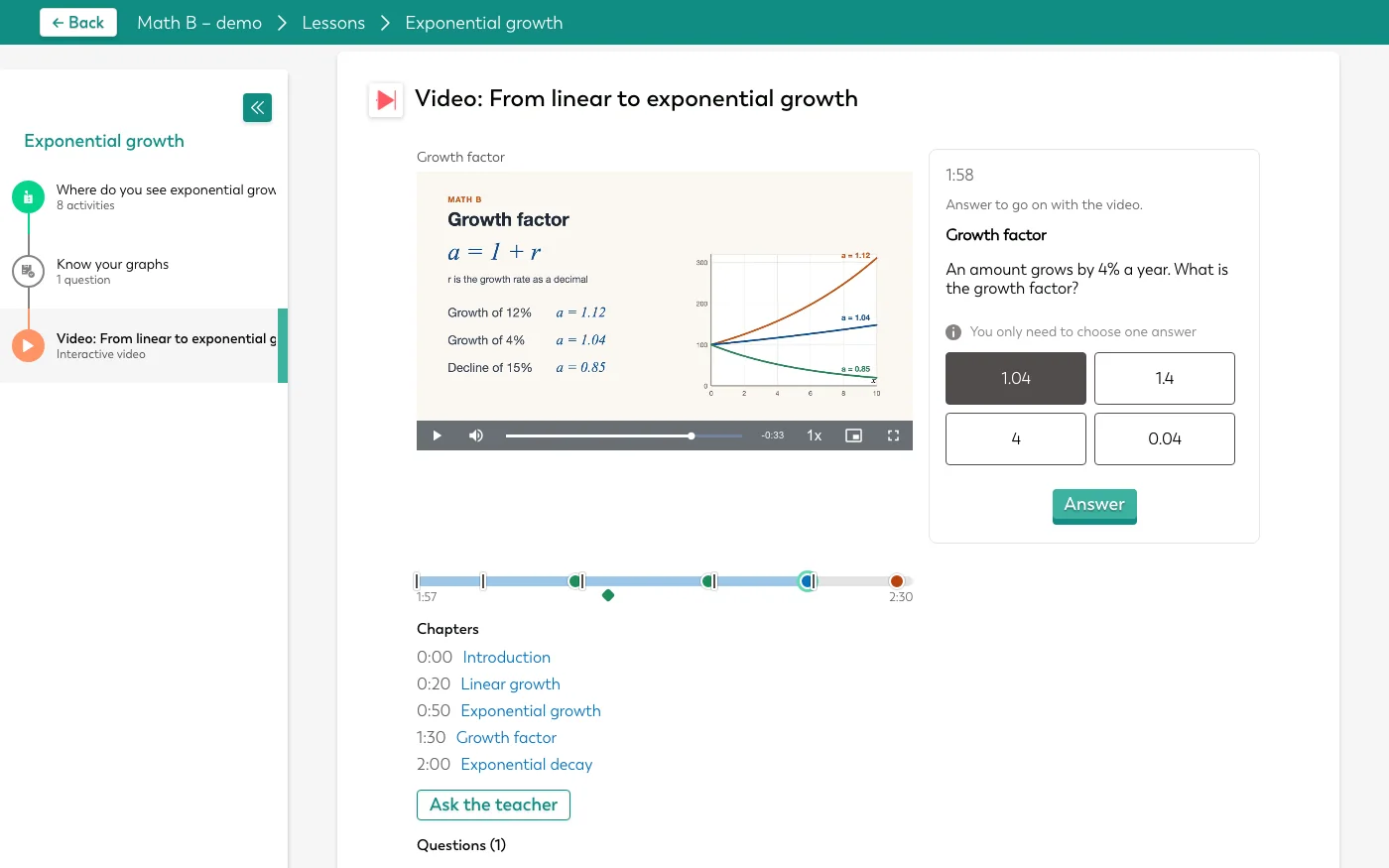
Interactive video with questions along the way
Choose a video from YouTube, Vimeo or your own files, and add quiz questions, polls, flashcards and chapters where you want them. The video stops, the student answers, and you see who has watched what.
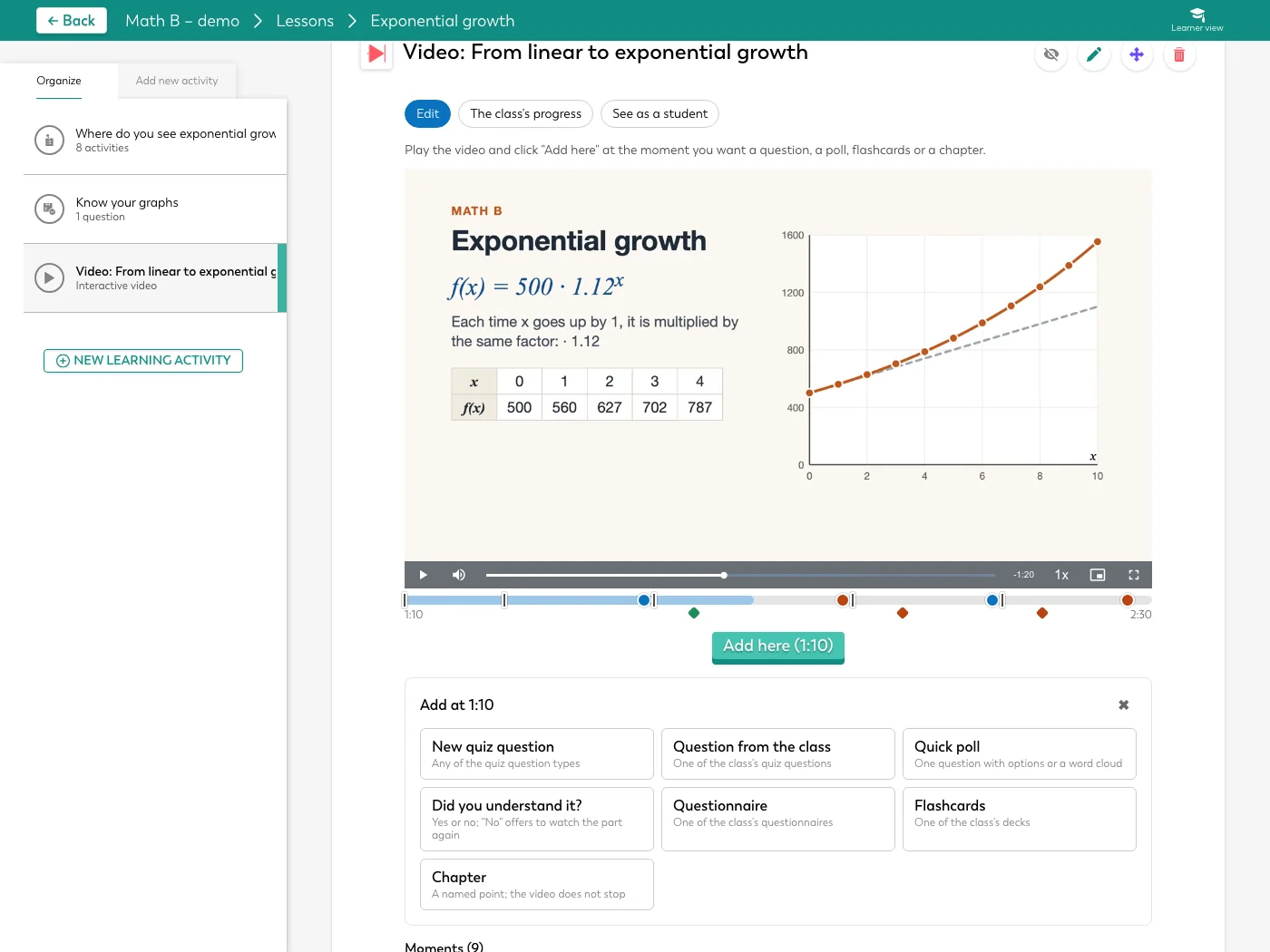
Add a question where it belongs
Play the video in the lesson and click "Add here" at the right moment. Choose a new quiz question of any type, one of the class's quiz questions, a quick poll, a "Did you understand it?" check, a questionnaire, a flashcard deck or a chapter.
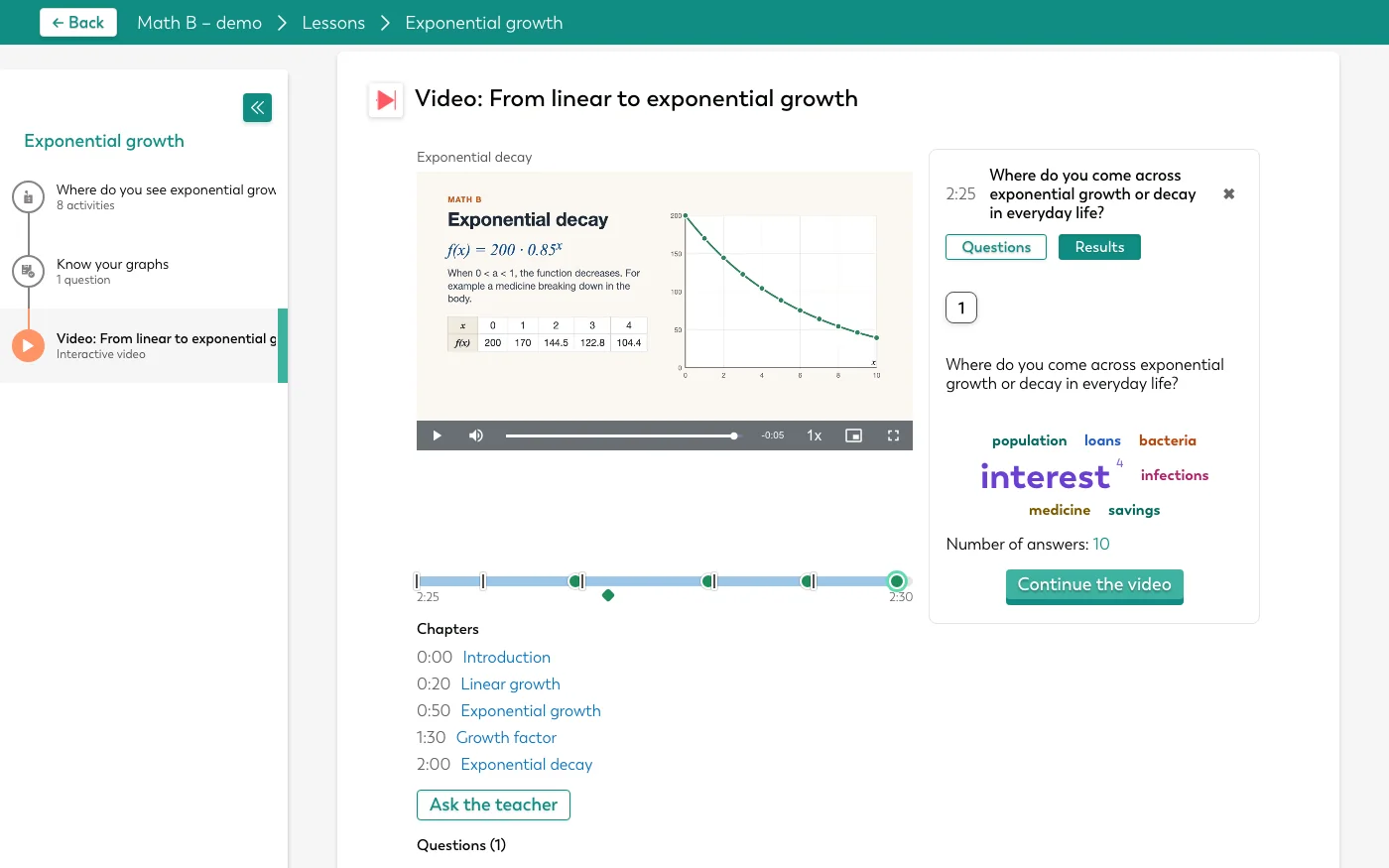
Word clouds and quick polls
A quick poll is one question with two to six options, or a word cloud where each student writes one to three words. Once they have answered, students see the class's result, unless you turn that off. You can hide a word from the cloud. The quick poll also works on its own in a lesson, and the word cloud in every questionnaire.
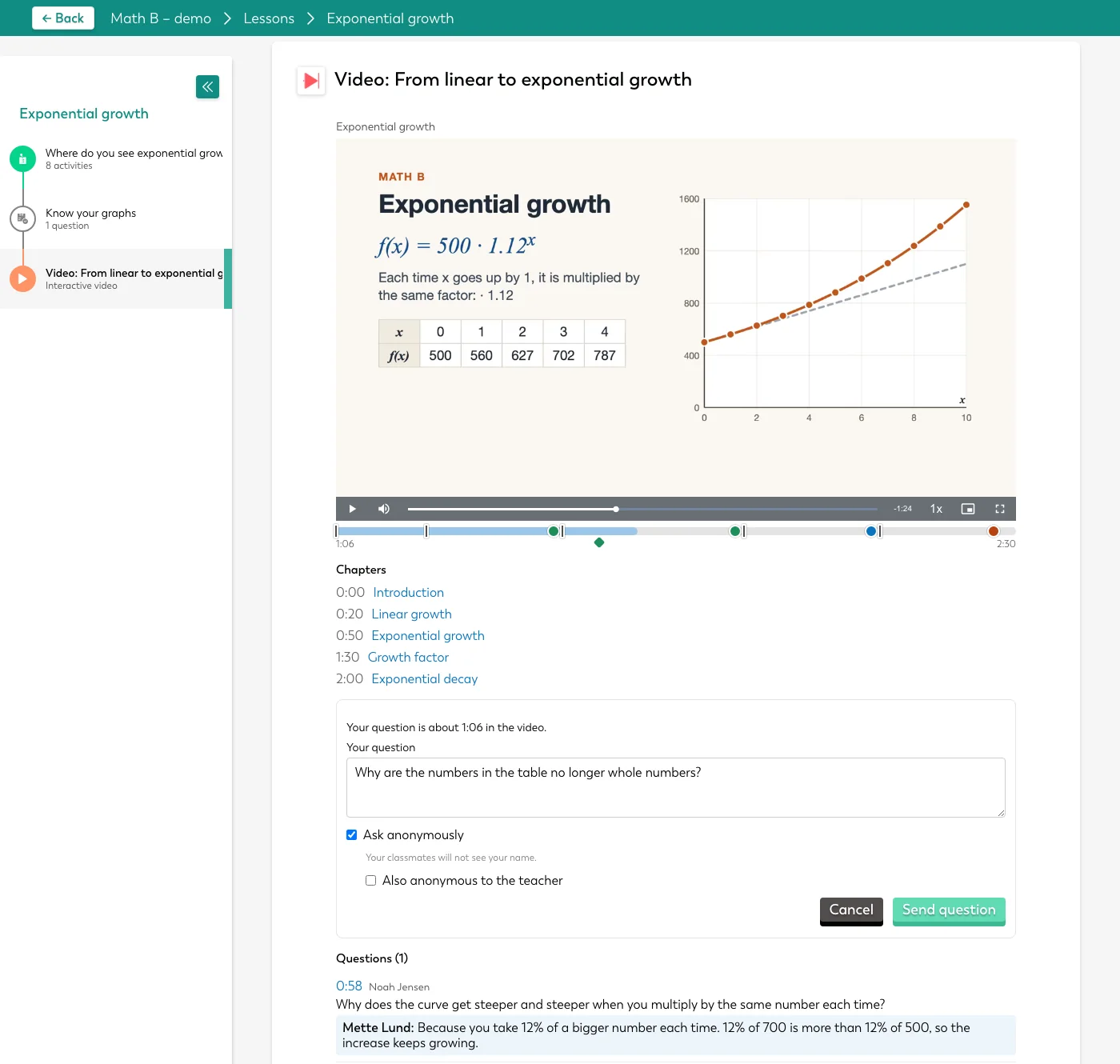
Questions to the teacher in the middle of the video
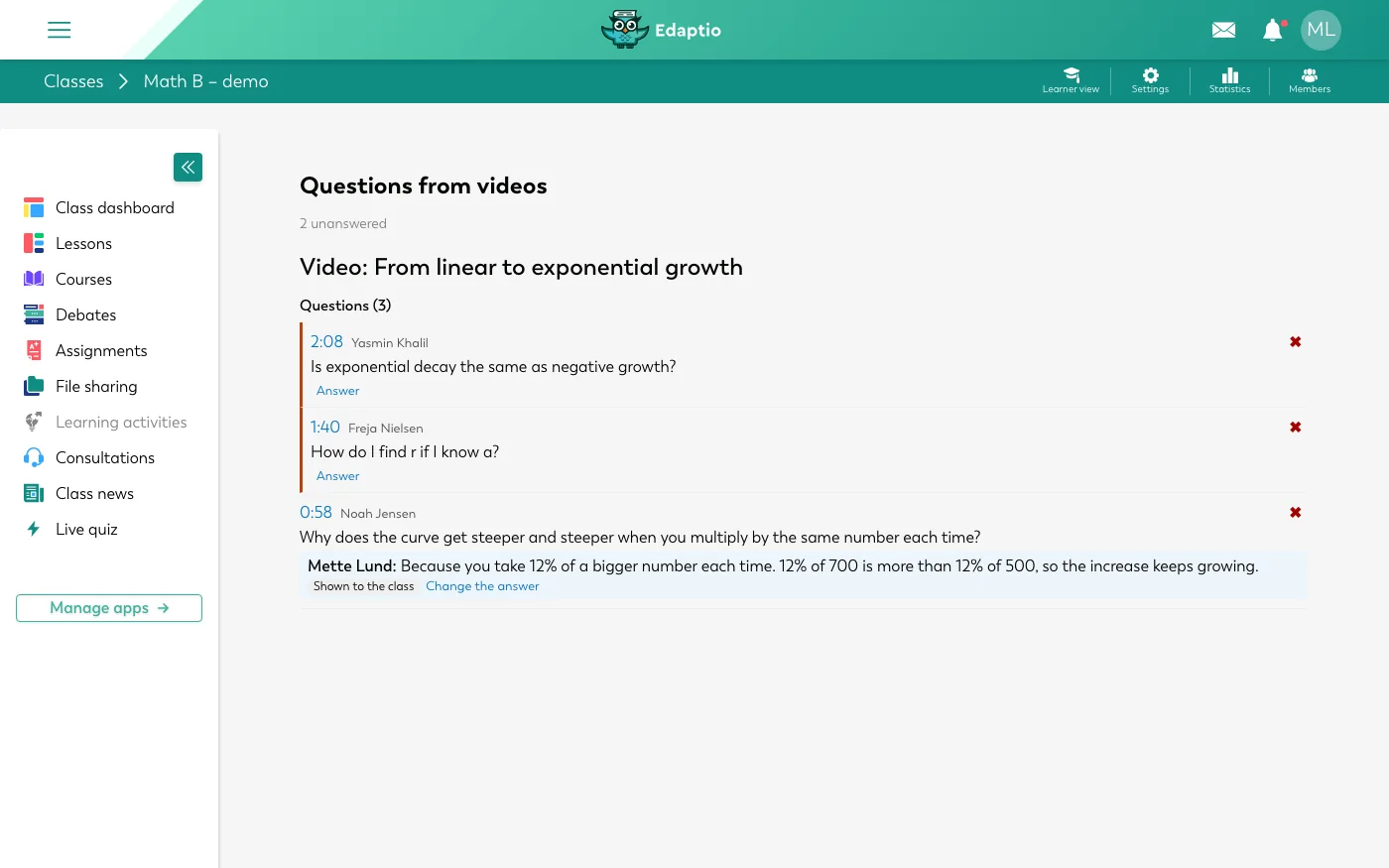
Students can ask you a question at any point in the video. The question is tied to the second they had reached, so you can see what it is about. They can ask without classmates seeing their name and, if you allow it, without you seeing it either.
Answer the whole class at once
You get a notification for each question, and "Questions from videos" collects the class's questions with the unanswered ones first. Answer the whole class, so the question and the answer show on the video for everyone, or only the student who asked.
See how far each student got
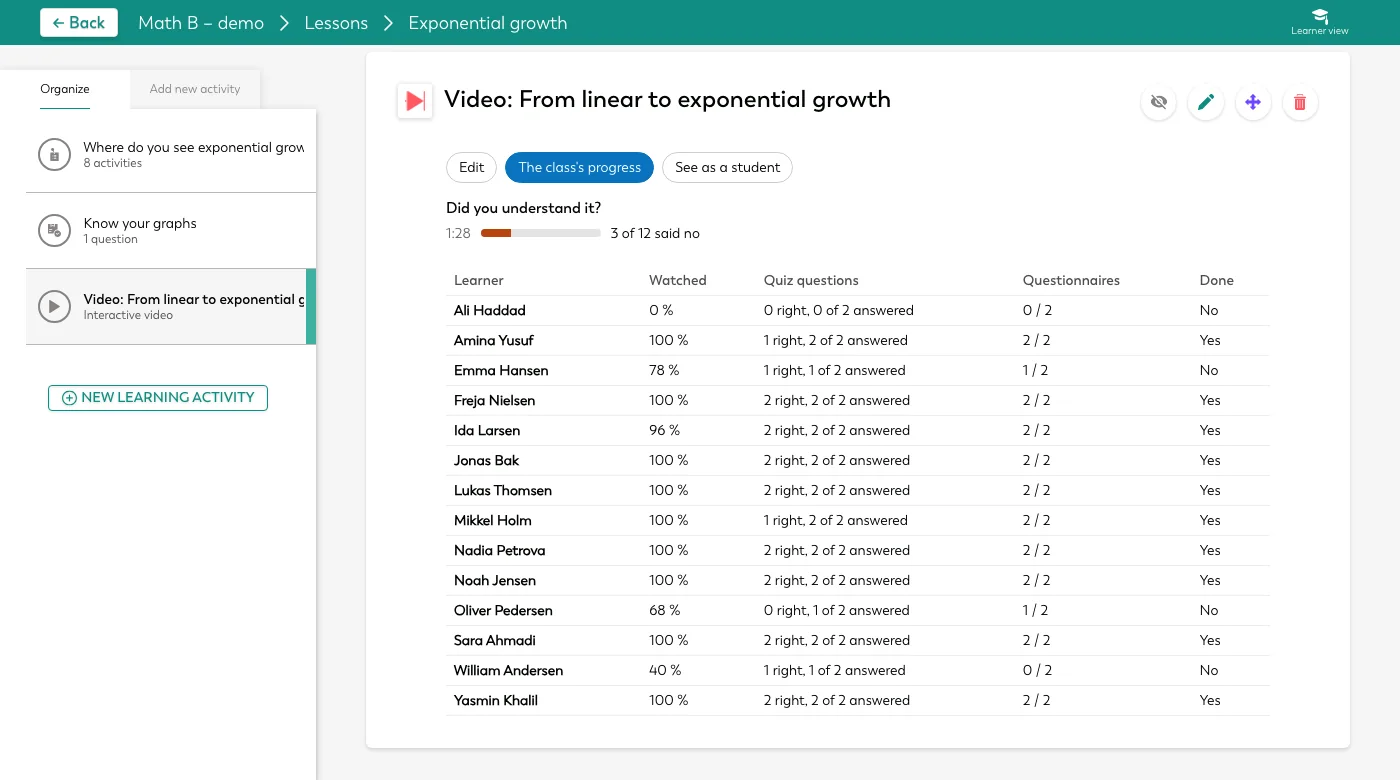
For each student you see how much of the video they have watched, how they answered the quiz questions, which questionnaires they finished and whether they are done. At each "Did you understand it?" you see how many answered no, so you know which part to go over again.
More in each video

Answer to go on
Students answer the quiz questions before the video goes on. You decide for each moment, for polls and flashcards too.

No skipping ahead
Turn it on, and students can't jump past what they have watched. They can still go back and change the speed.

Chapters
Give the parts of the video a name. Students see the chapters under the video and on its timeline, and can jump between them.

Watch the part again
If a student answers no to "Did you understand it?", the video offers to go back so they can watch that part again.

Olly helps you
Ask Olly to make an interactive video from a YouTube or Vimeo link or one of the class's videos, with quiz questions and chapters at the times you give.

Part of your lessons
An interactive video is a learning activity like any other. When you copy a course, it comes along with its questions, questionnaires and flashcards.
Works with the videos you use
An interactive video plays like any other video in Edaptio. You only add the moments.

YouTube and Vimeo
Paste a link. Unlisted Vimeo videos work too.

Your own videos
Upload a video, or use one the class already has.

On the phone too
Students can watch, answer and ask on their phones.
More features that save you time

Reading Support
Every text in a lesson read aloud, in an easier version or translated into 25 languages.
Learn more: Reading Support
Live Quiz
A quiz on the board that the class answers on their phones, with points, a top list and a podium.
Learn more: Live Quiz
AI Assistant
Olly helps teachers build content and gives students hints, not answers.
Learn more: AI Assistant
Feedback on Hand-ins
Comment, draw and write formulas directly on the hand-in.
Learn more: Feedback on Hand-ins
Math Questions
Random values for each student and answers checked mathematically.
Learn more: Math Questions
School Integrations
Moodle, Microsoft sign-in and class lists from your administrative system. We also build integrations with your other systems, free of charge.
Learn more: School Integrations
Plagiarism Check
Every hand-in compared with earlier hand-ins, Wikipedia and Olly, with the matching passages side by side.
Learn more: Plagiarism Check

Learning Activities
Add flashcards, video, pinboards and more to a lesson
Learn more: Learning ActivitiesGet started with Edaptio
Create a free teacher account in minutes, or talk to us about setting up Edaptio for your whole school.