
Live quiz for the whole class
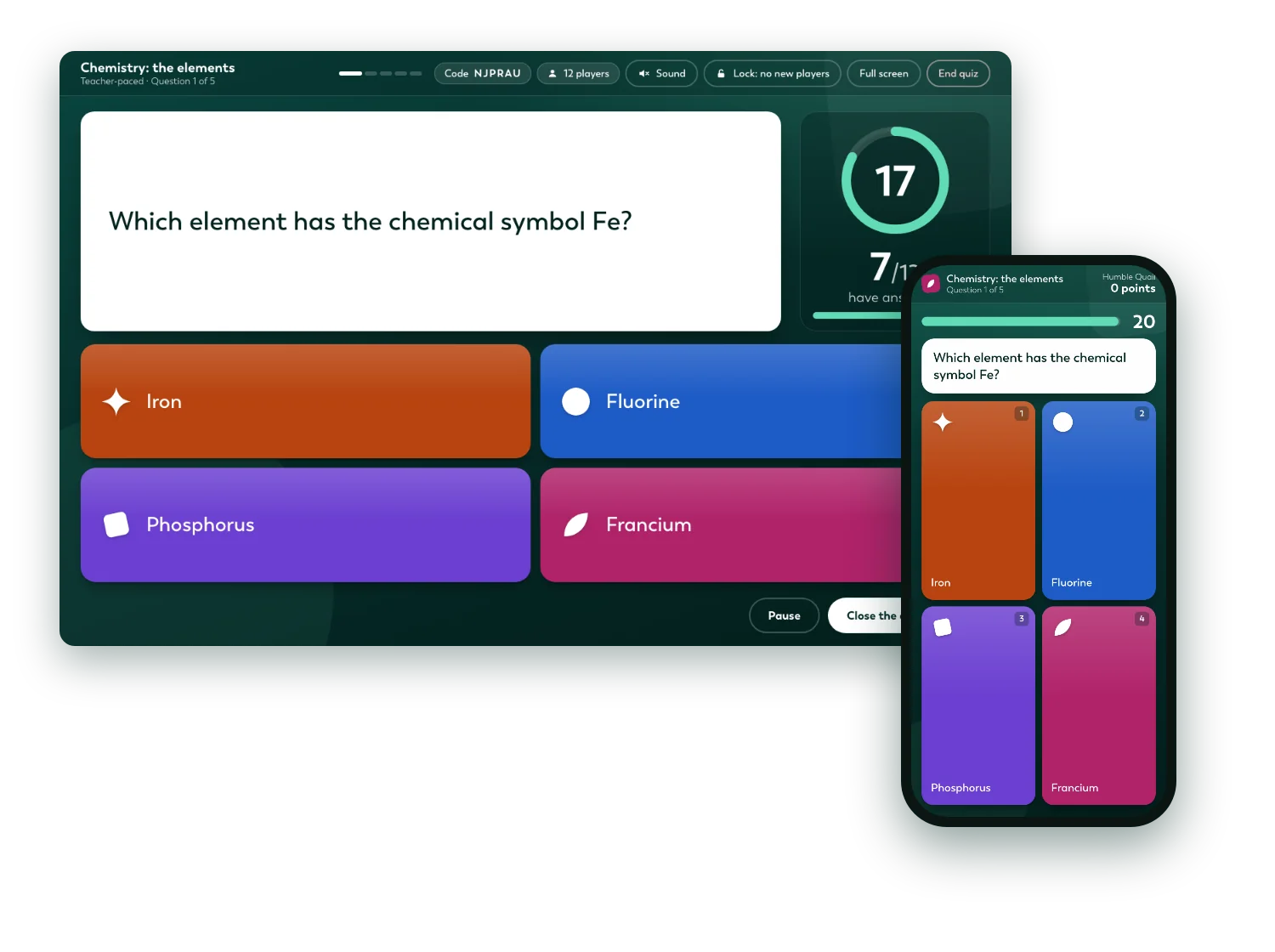
Put the quiz up on the board, and the class answers on their phones or laptops. Points for speed, a top list between questions and a podium at the end.
In the game in seconds
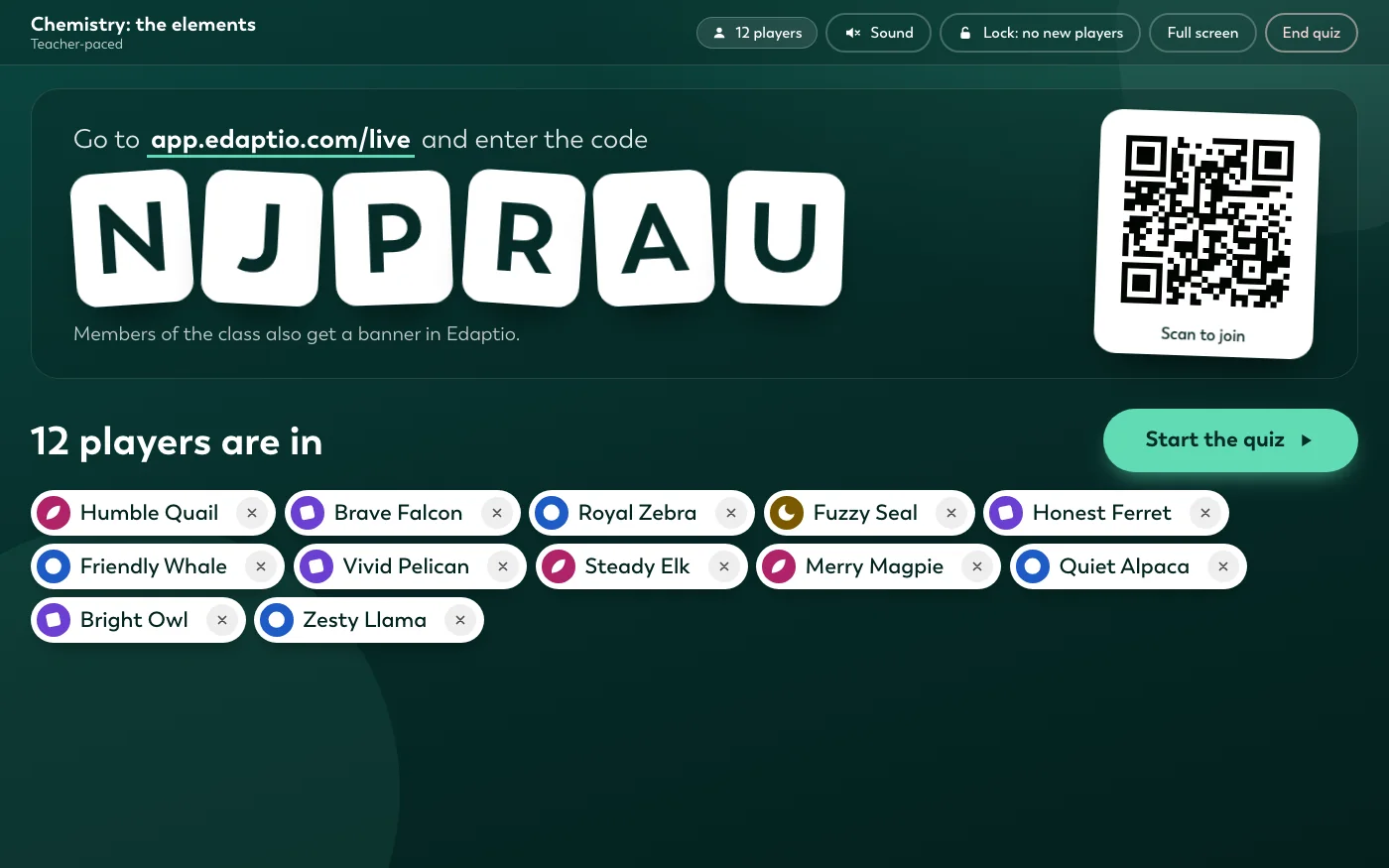
Students go to app.edaptio.com/live and type the code, scan the QR code or tap the banner that pops up in Edaptio. Only students in the class can join, and nobody needs a new account.
Big buttons, instant results
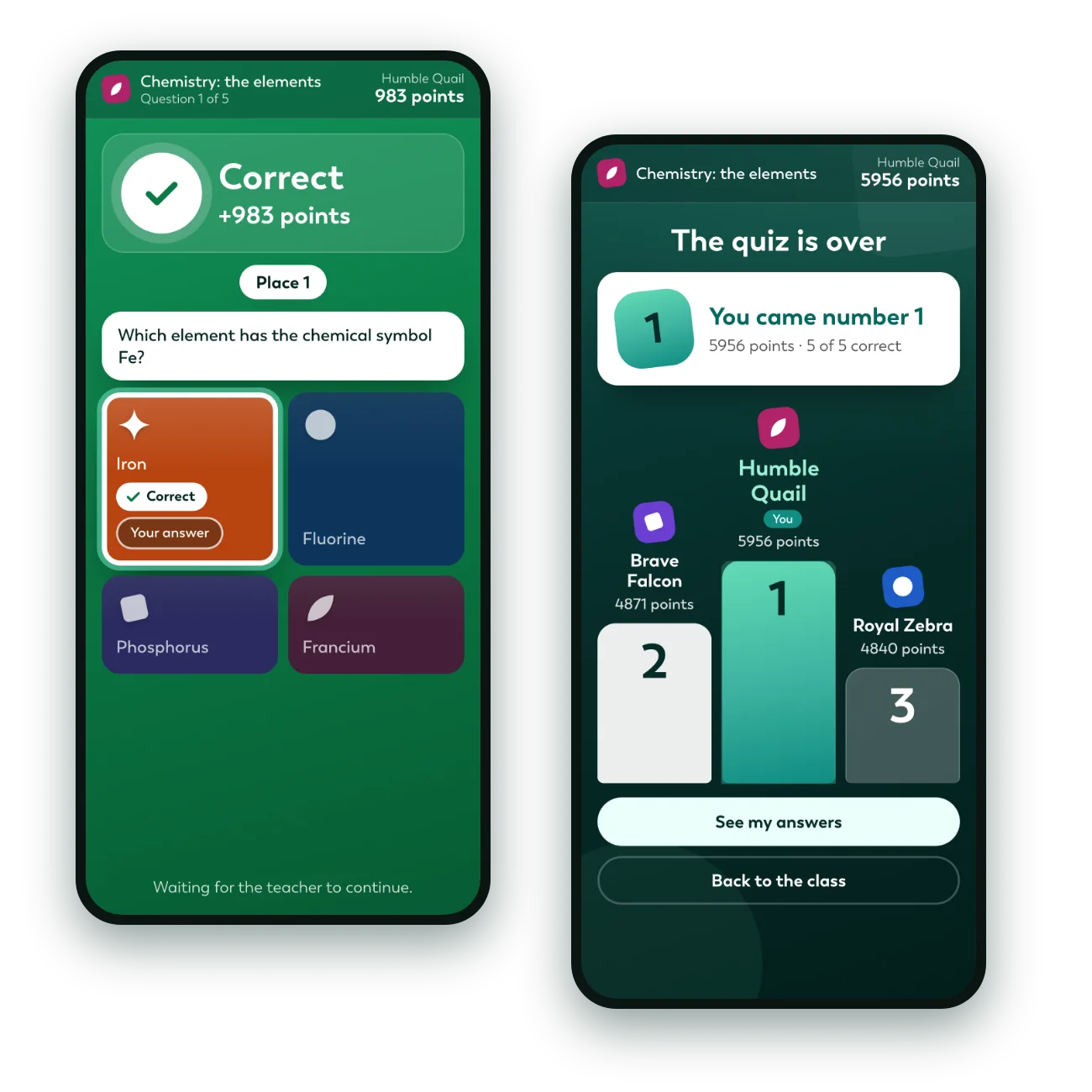
Students tap one of the coloured tiles or press 1 to 6 on the keyboard. When the time is up, each student sees whether they were right, their points and their place, and the phone vibrates if it can.
A top list between questions
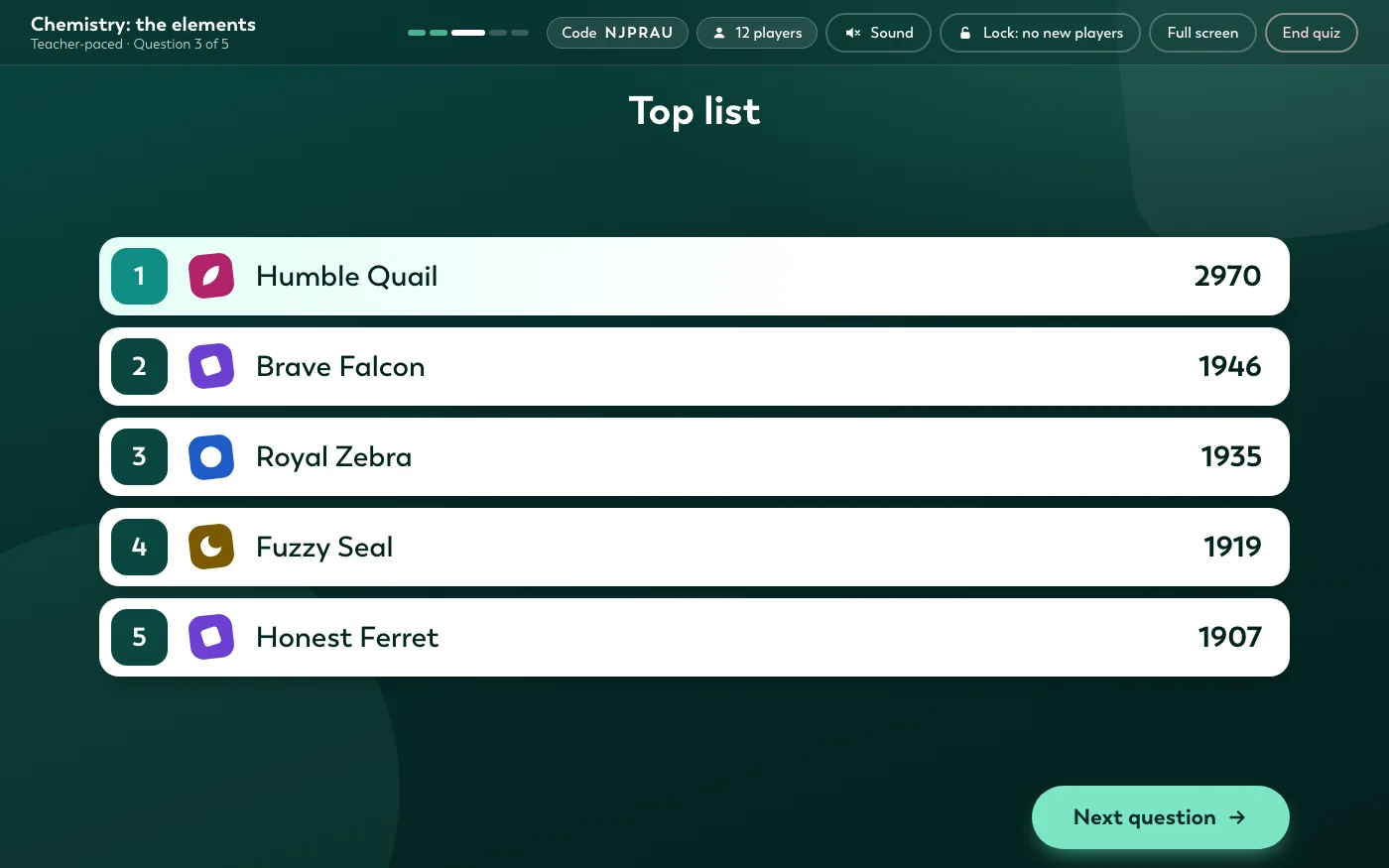
Right answers give points, and the faster the answer, the more points. Between questions the top five are shown, and at the end the best three stand on a podium. You can also give a question double points, count right answers instead of speed, or turn the top list off.
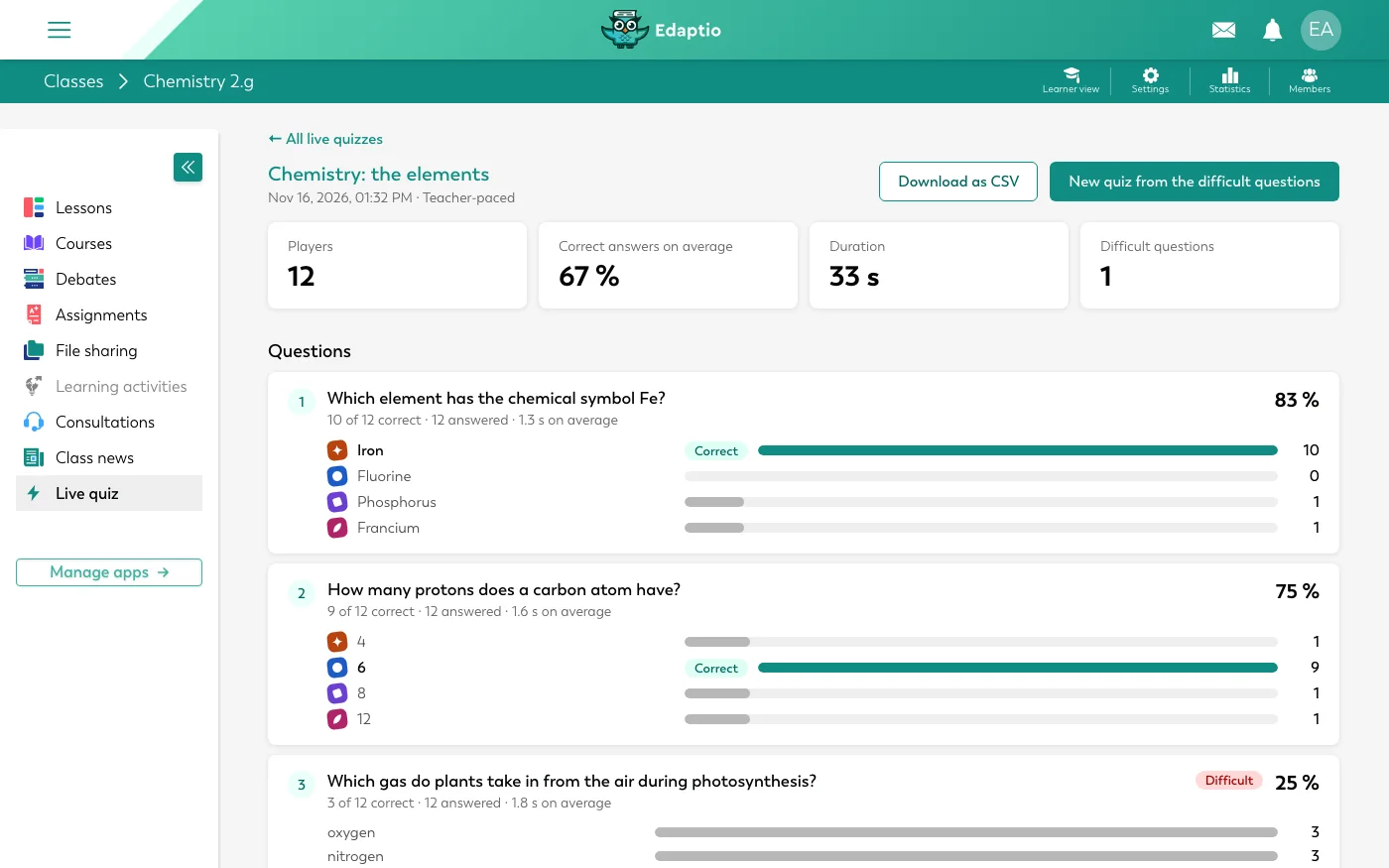
See what the class found hard
The report shows how many got each question right, how long they took and which questions were hard. One click makes a new live quiz of just the hard questions, so you can take them again. Download it all as a CSV file.
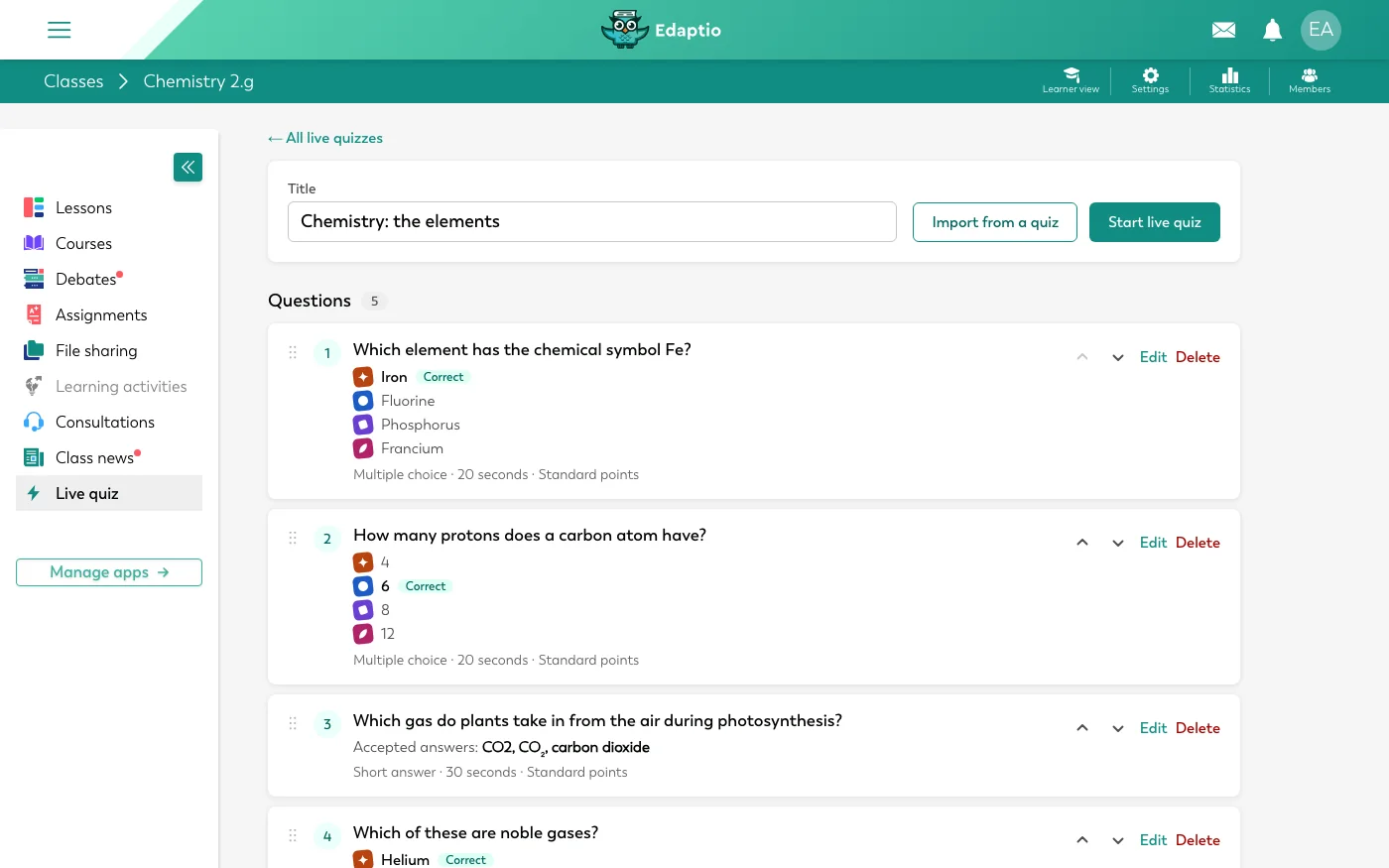
Ready in minutes
Write multiple choice questions with up to six answers, or short-answer questions that accept several spellings. Does the class already have a quiz? Bring its questions over in a few clicks.
More than a game

Together or at their own pace
Take the questions together, or let each student work through them at their own pace while the top list keeps up.

Nicknames on the board
Show made-up names such as "Brave Otter" instead of the students' real names. The report still shows you who answered what.

Olly helps you
Ask Olly to make a live quiz on a topic, turn one of your quizzes into a live quiz or tell you what the class found hard.

Part of your lessons
A live quiz is a learning activity like any other. Put it in a lesson, and it comes along when you copy the course to a new class.

Back in after a dropout
If a laptop goes to sleep or the wifi drops, the student comes back to the question the class is on, with their points kept.

Students see their answers
After the game, each student can go through their own answers and the right ones, and find earlier games in the class.
Built for schools
A live quiz runs inside Edaptio, with the same login and the same classes as everything else.

Only the class plays
Students join with their Edaptio login, and only the class's own students can join. No guest links going around.

Data stays in the EU
The game runs in Edaptio's own system in the EU. Answers are not sent to an outside quiz service.

Your school decides
The live quiz is switched on for each school, and in each class the teacher decides whether students see it in the menu.
More features that save you time
AI Assistant
Olly helps teachers build content and gives students hints, not answers.
Learn more: AI Assistant
Feedback on Hand-ins
Comment, draw and write formulas directly on the hand-in.
Learn more: Feedback on Hand-ins
Math Questions
Random values for each student and answers checked mathematically.
Learn more: Math Questions
School Integrations
Moodle, Microsoft sign-in and class lists from your administrative system. We also build integrations with your other systems, free of charge.
Learn more: School Integrations
Plagiarism Check
Every hand-in compared with earlier hand-ins, Wikipedia and Olly, with the matching passages side by side.
Learn more: Plagiarism Check

Learning Activities
Add flashcards, video, pinboards and more to a lesson
Learn more: Learning Activities

Get started with Edaptio
Create a free teacher account in minutes, or talk to us about setting up Edaptio for your whole school.